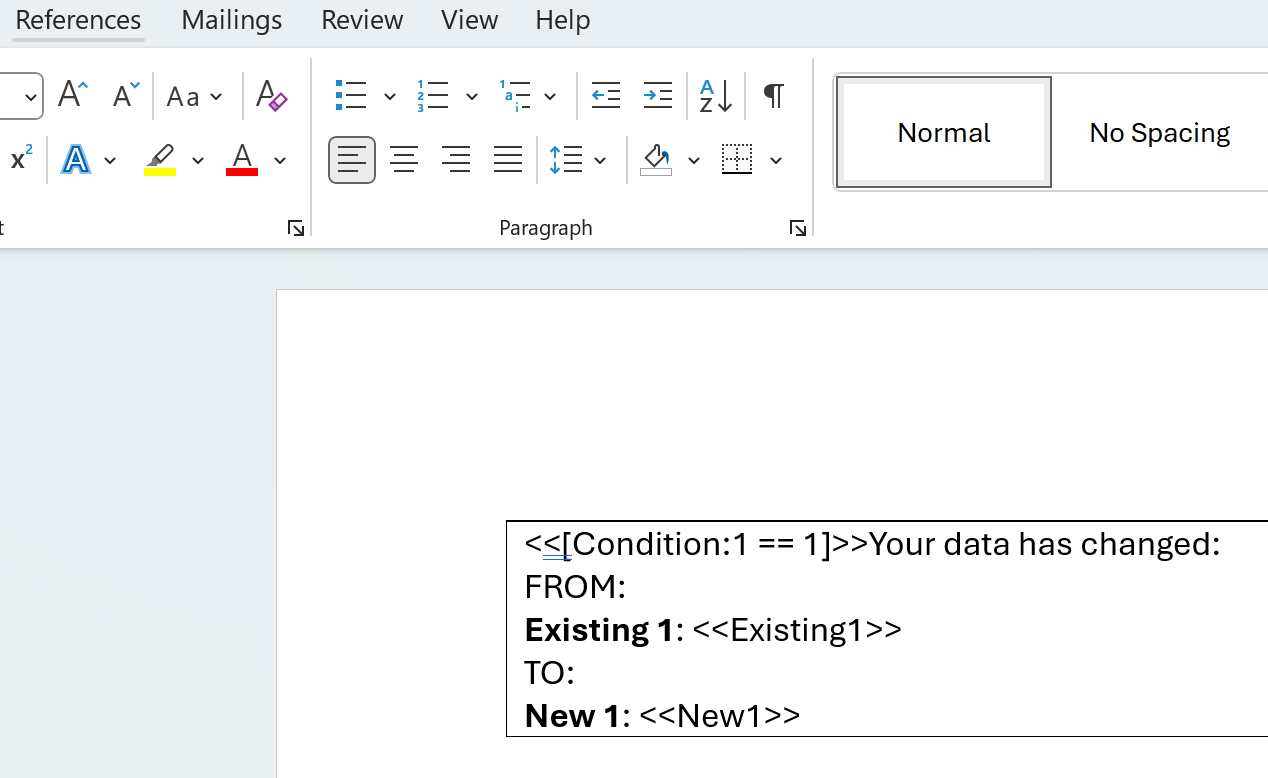
When creating a word template to be used for a PDF integration, I am trying to get a some bold text within the condition but the output document doesn’t work.
I’ve tried <b> and <strong> but those don’t work either.
<<[Condition:’<<tag>>’ != ‘’ :<br>Your data has changed:<br>FROM:<br>Existing 1: <<Existing1>>TO:<br>New 1: <<New1>>]>>
1 Answers
The best option here is to use <<[Condition]>> with a table cell in Word. If the condition is true the contents of the cell (with all formatting) will be displayed, otherwise the table cell will be removed. You can hide the border of the table/cell if not required.