We are trying to convert a calculated Excel document into a Form. “Google” has provided some options for converting the Excel function to a math formula, but we can’t work out how to get the formula to work, or how/if we need to convert/use the ^ (power of) symbol in the FBA formula.
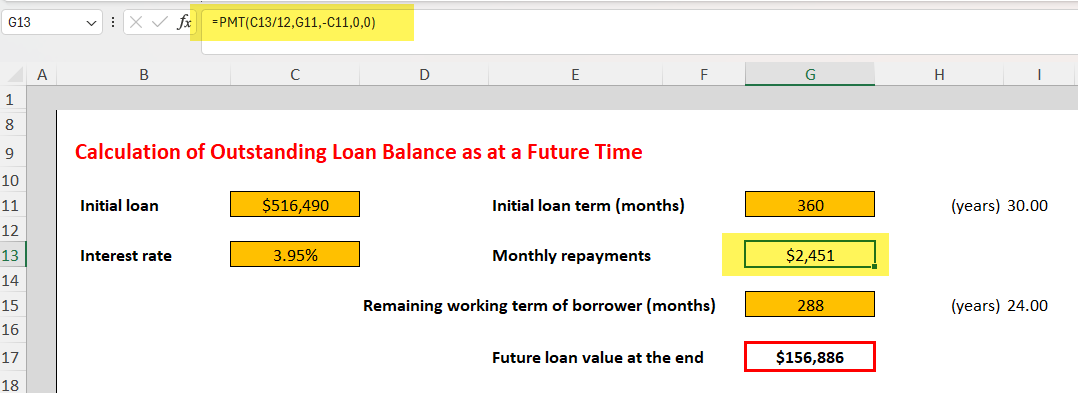
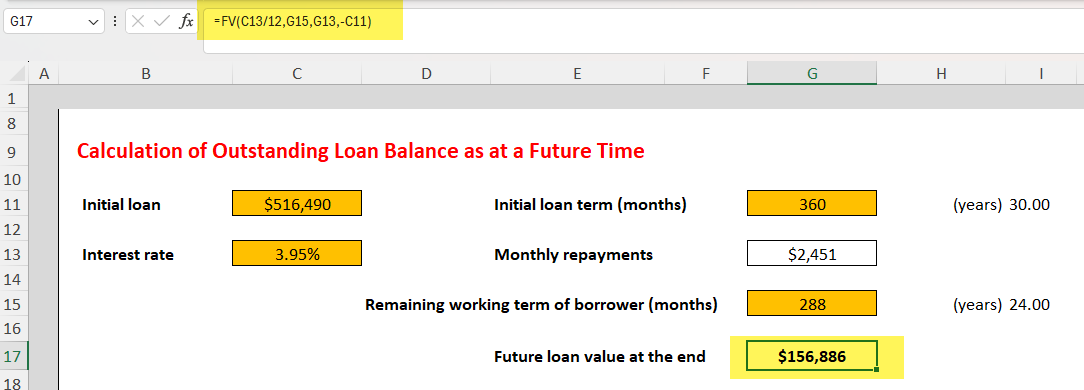
The Excel functions are:
=PMT(C13/12,G11,-C11,0,0)
=FV(C13/12,G15,G13,-C11)
Where:
C13 = 3.95% (interest rate)
G11 = 360 (initial loan term - months)
C11 = $516,490 (Initial loan)
G15 = 288 (Remaining working term of borrower - months)
This is PMT formula we’ve found on Google that we thought might work:
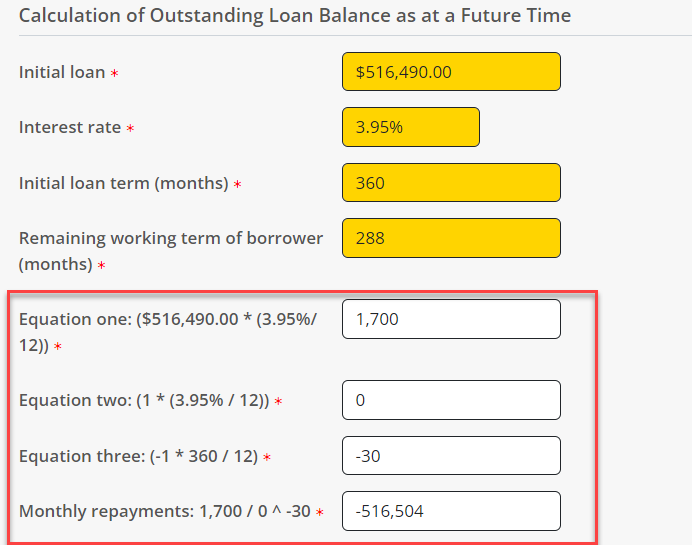
((516490 * (0.0365/12)) / (1 - ((1 + (0.0395/12))^(-1 * 360))))
We broke this down into multiple formula fields in FBA, on the assumption this would be easier for the final calculation, but clearly we’ve gone wrong somewhere.
Is is possible to convert the Excel formulas to FBA functions? If yes, can we have some help on how to do this please.
TIA.
1 Answers
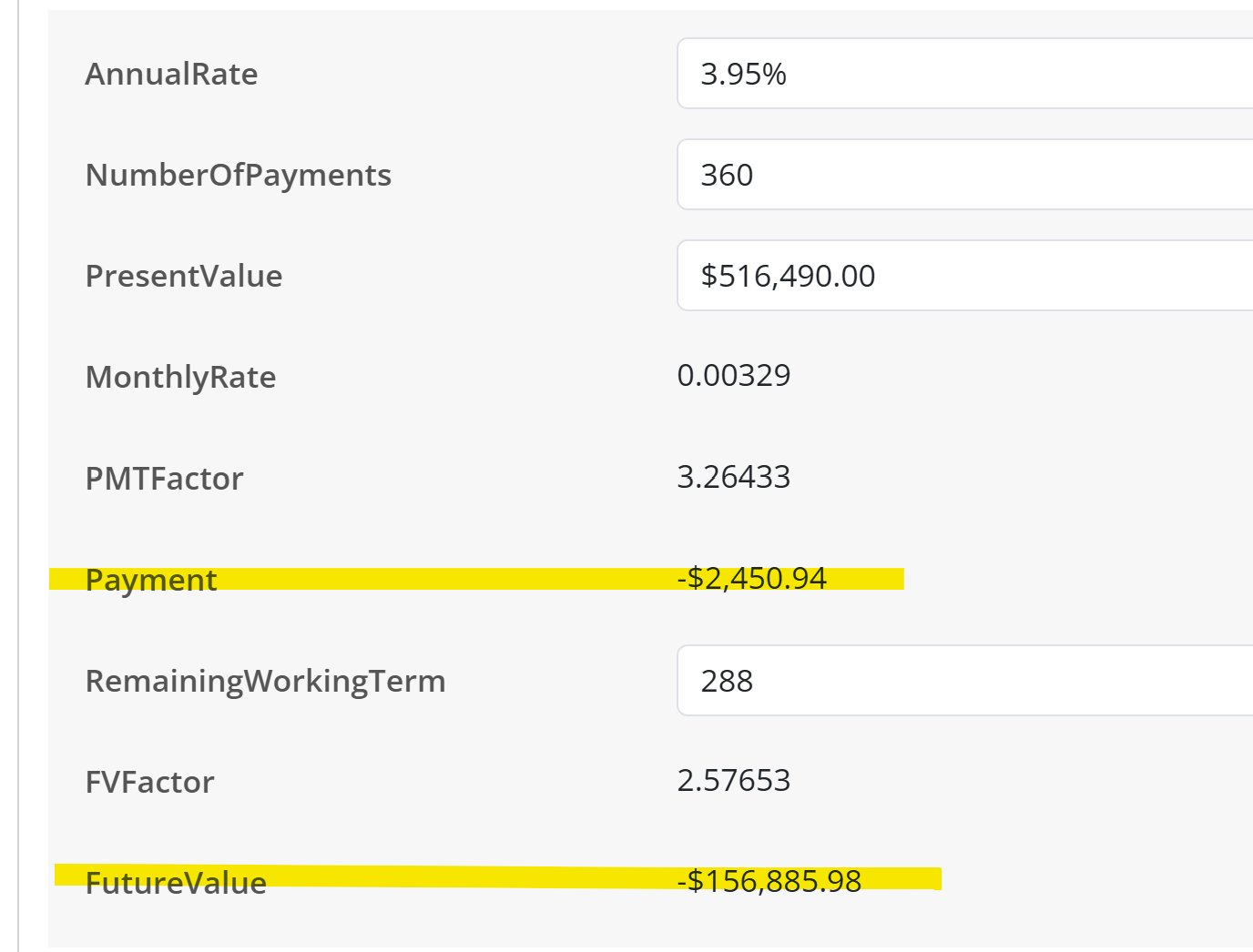
FBA uses Javascript for formulas, so we need to convert Excel’s PMT() and FV() functions to Javascript.
I used ChatGPT to do this, which can be then be implement using a few formula questions as follows:
MonthlyRate
<<AnnualRate>> / 12

PMTFactor
Math.pow(1 + <<MonthlyRate>>, <<NumberOfPayments>>)

Payment
- (<<PresentValue>> * <<PMTFactor>>) * <<MonthlyRate>> / (<<PMTFactor>> - 1)

FVFactor
Math.pow(1 + <<MonthlyRate>>, <<RemainingWorkingTerm>>)

FutureValue
- (<<PresentValue>> * <<FVFactor>> + <<Payment>> * (1 + <<MonthlyRate>> * 0) * (<<FVFactor>> - 1) / <<MonthlyRate>>)