
I need to output special condition items as Display Content in a form. The items are from a repeater item, so there may be one item, or there could be 10. Ideally I’d like the items output as an alpha list. This is the syntax I’m trying to add to the Display Content in the form:
<ol type=”a”>
<<[ForEach:SpecialConditionItems[</li>]:<li><<SpecialConditionItem>>]>>
</li></ol>
I’ve tried adding the above syntax to both the Code Editor and directly into the Editor.
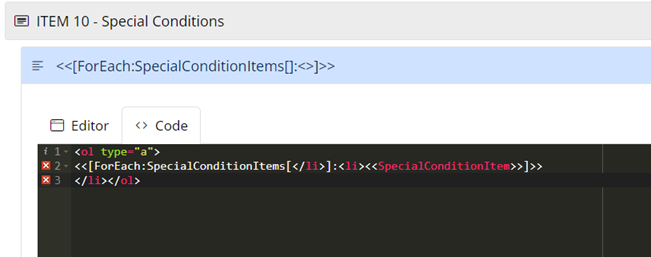
Above code added to Code Editor:
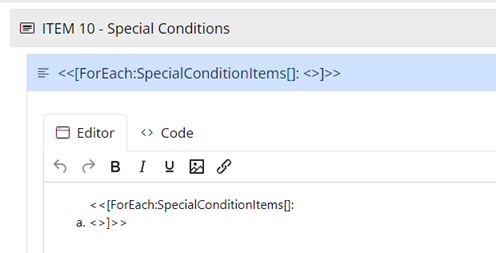
Preview in Editor after adding above code:
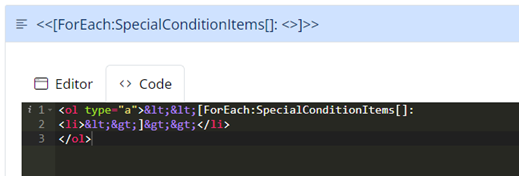
Check code after preview in editor - syntax has been translated:
Adding syntax/html code directly into Editor:
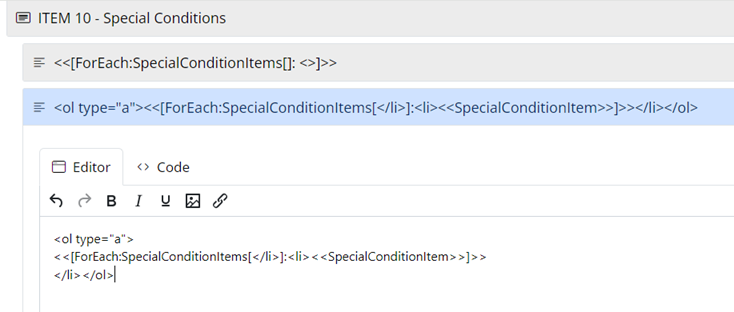
The above is then translated to:
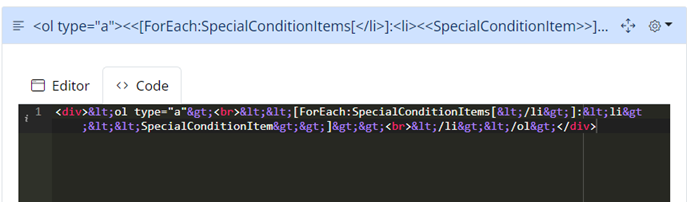
Form output if I use the above option: 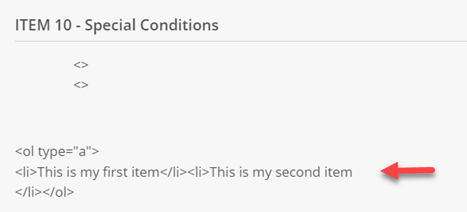
In principal, this option is at least outputting the repeater items BUT how do I stop the html code being converted to text so the form output reads the html code?
1 Answers
You can generate a bullet point list in Display Content as follows…
<div><<[ForEach:SpecialConditionItems[<br>]:* <<SpecialConditionItem>>]>></div>
This uses markdown syntax for each bullet point, and ensures the PDF output will also be a bullet point list.
Unfortunately using HTML syntax for a numbered list <ol><li> isn’t going to work, this also wouldn’t render in PDF output.