How can I dynamically choose who can Authorise a document in workflow?
1 Answers
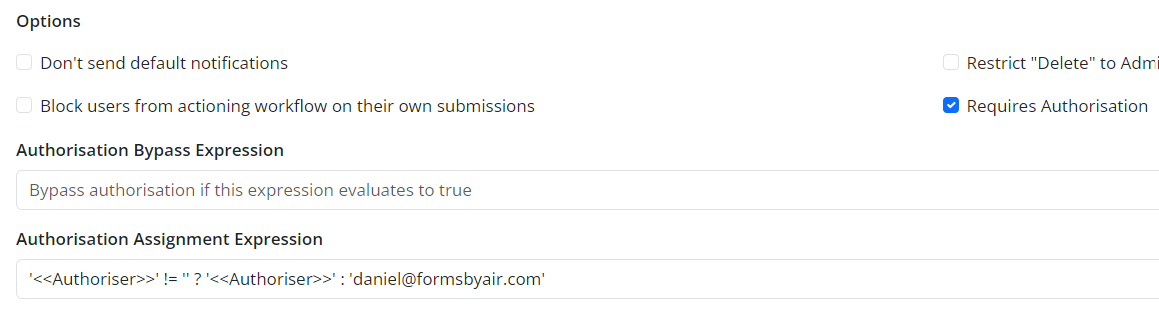
With “Requires Authorisation” under form settings checked.
Add an “Authorisation Assignment Expression”, like the below example:
‘<<Authoriser>>’ != ‘’ ? ‘<<Authoriser>>’ : ‘daniel@formsbyair.com’
Note: The expression needs to default to something non-blank so that the portal will display the “Request Authorisation” button.
You can use <<[DocumentWorkflowUserEmail]>> as the “Recipient Email Address**”** in the email integration to notify the authoriser.