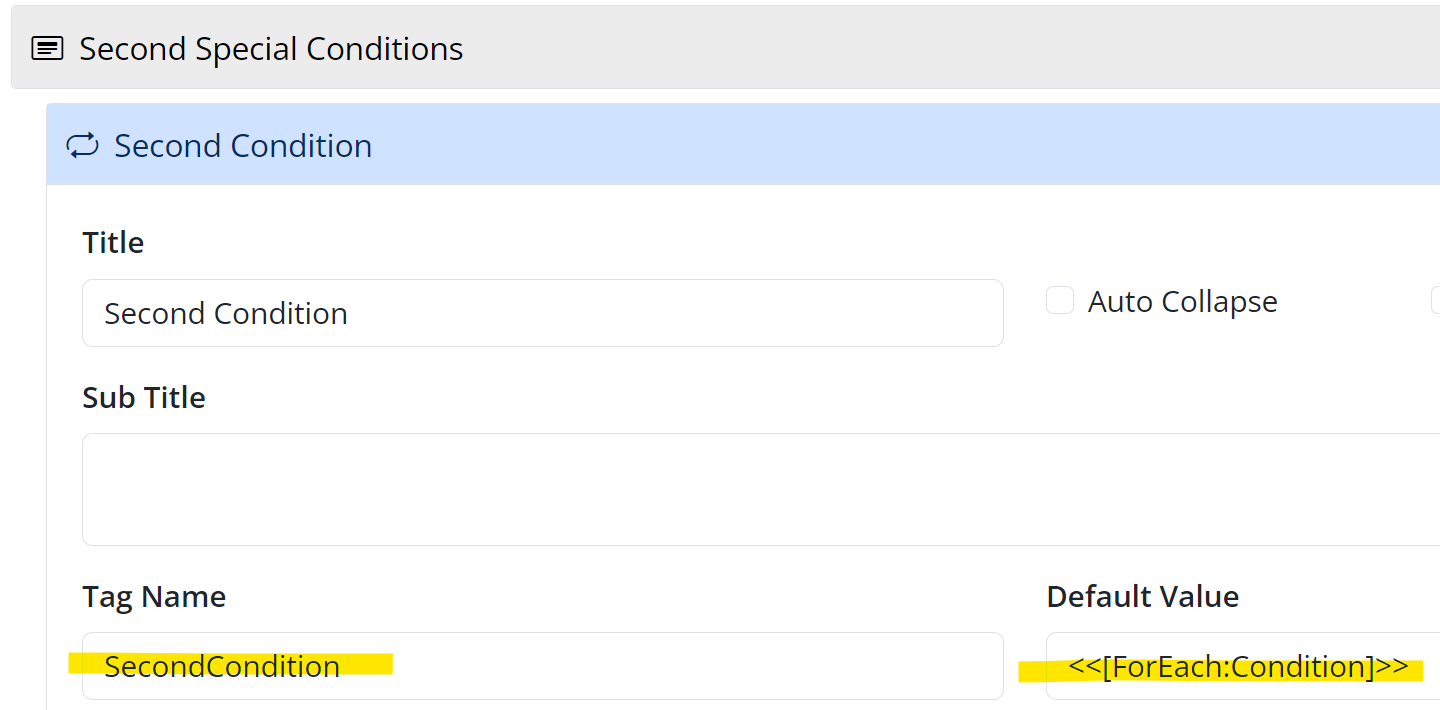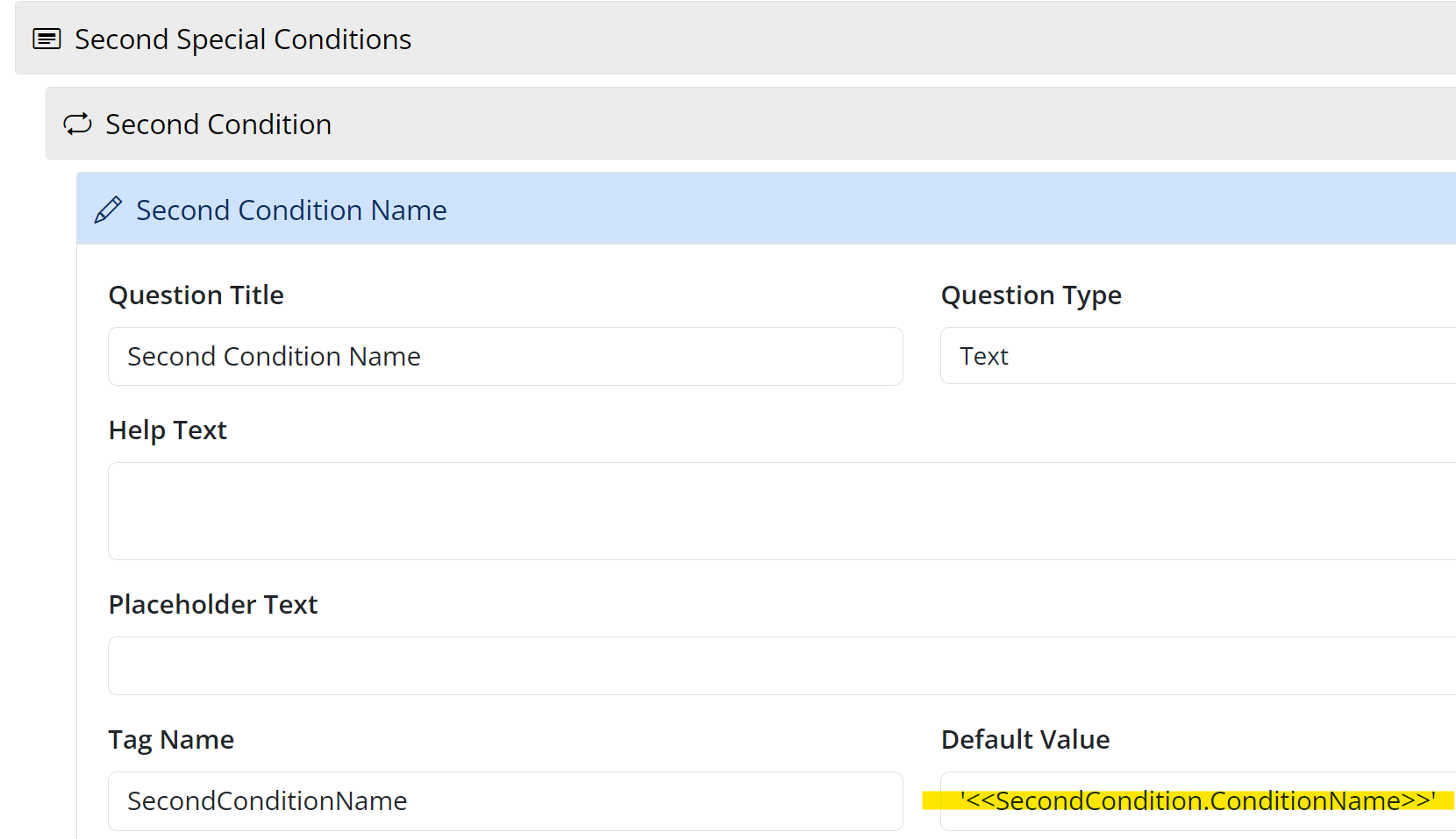
I have a ‘staged’ form where the person initiating the form can add multiple items to a repeater. These items are being output for the third party to review and amend (if required). The third party also needs to be able to add or remove the repeater items.
The “Add Another Item” button, and the “x” (removal) are not visible in the linked repeater.
Repeater - filled in by form ‘initiator’
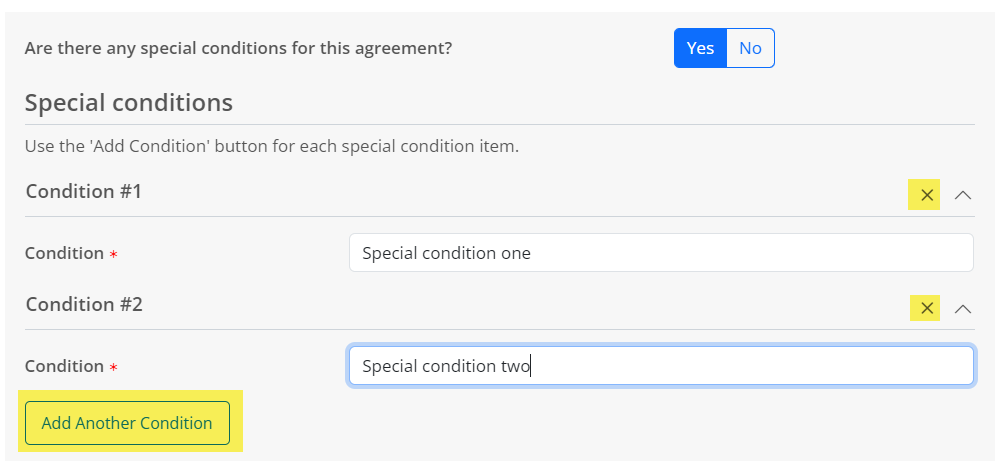
Third party receives email with link to form. The repeater items are displayed correctly, however, there is no option to remove the repeater items, or add additional items.
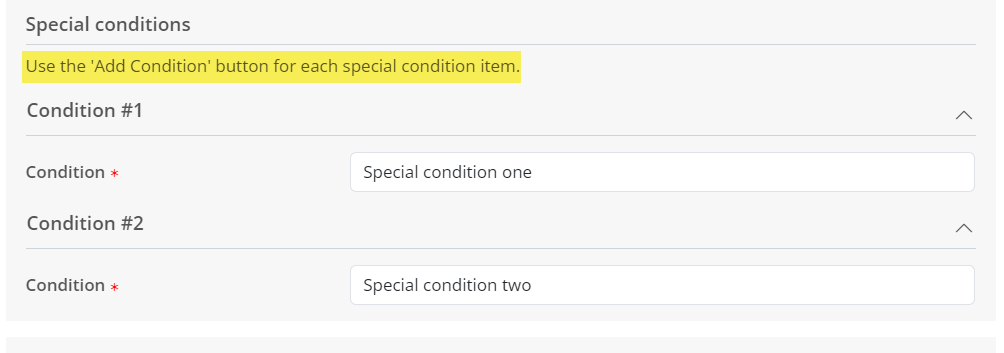
How do I make the “Add Another Condition” and removal option visible for the third party?
2 Answers
You can’t used a linked repeater if you want to add/remove items in the second repeater. You would instead need to set a Default Value on the second repeater like this:
<<[ForEach:FirstRepeater]>>
Comments:
- Thank you @ShaunDavis. The ‘ForEach’ option in the Default Value is showing the correct number of repeater items in the second repeater BUT, it’s not outputting the values from the First Repeater questions. I think I may have the syntax wrong.
Use this syntax to output the values from the first repeater